


Doximity - Medical Network
4.82.80K Reviews
App Specs
- Version
- 11.80.0
- Updated On
- License
- Free
- Downloads
- 500,000+
- Developer
- Doximity, Inc.
- Categories
- Medical
- Platform
- Android
Screenshots
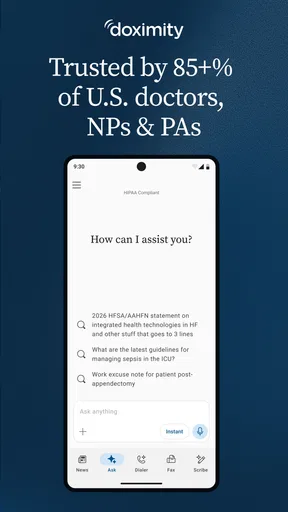
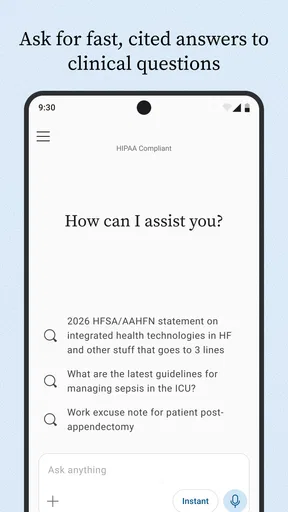
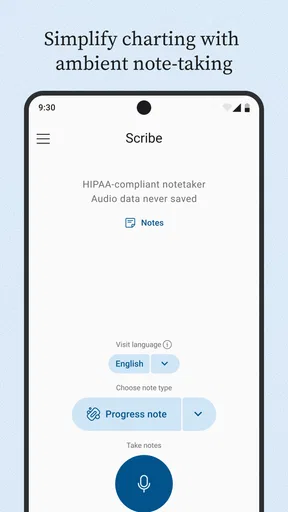
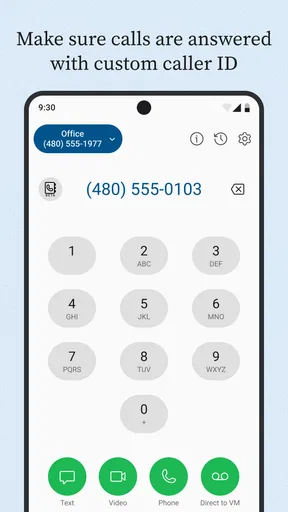
 Analysis by AppCompare
When I first opened Doximity, I understood its purpose quickly: this is a medical networking app built for healthcare professionals, not a general social network for patients. Its focus is helping clinicians connect in a more convenient and secure way, with the professional context kept at the center. That makes the first few minutes feel different from setting up a messaging or social app. You are not simply creating another casual profile; you are entering a work-oriented network where identity, specialty, and professional relationships matter.
I found the app most useful when I treated it as a practical extension of my professional contacts rather than as a place to browse endlessly. It can help a clinician keep relevant connections within reach, discover a more focused professional community, and handle communication tasks without mixing them into a personal social account. The experience is especially appealing if you already work with many healthcare professionals and want those relationships organized around medicine.
It is free, carries an Everyone age rating, and comes from Doximity, Inc. The app has been available since February 18, 2011, and its current version is 11.79.0 for devices running operating system version 10 or later. With a 4.8 average from around 7.7 thousand ratings and more than 500 thousand installs, it has clearly attracted a substantial audience among people looking for a medical professional network.
Getting oriented before you build your profile
The first thing I would tell a new user is to set expectations correctly. Doximity is not a replacement for a hospital’s internal clinical system, an emergency communication channel, or a patient-care platform. I would not use it as the only place to manage urgent clinical information, and I would always follow the communication rules of my workplace. Its value is in professional connection and convenience, not in replacing every tool used in healthcare.
That distinction matters because medical apps often sound similar while serving very different roles. A secure workplace messenger may be better for a formal care team workflow. A hospital directory may be better when you need an internal extension immediately. A broad professional network may be better for public career visibility. Doximity sits in a more focused space: it is designed around healthcare professionals and the relationships they maintain across workplaces and specialties.
I also noticed that the app makes more sense when you have a clear reason for installing it. If you are a physician, nurse practitioner, physician assistant, pharmacist, trainee, or another healthcare professional who regularly needs to stay connected with colleagues, the setup has a practical payoff. If you are simply looking for general health advice, a patient appointment tool, or a way to research symptoms, this is probably not the right download.
The strongest early use case is a busy professional who moves between different parts of the healthcare system. Imagine finishing a shift, remembering that you need to reconnect with a former colleague, and wanting to keep that relationship in a professional setting rather than searching through personal social accounts. A focused network can reduce that friction. It also keeps the purpose of the connection clearer: this is someone you know through healthcare, training, referral work, or a shared professional environment.
Worth Reading Before You Choose

EA SPORTS FC Mobile 26 Is a Bigger Football Game, but It Takes Time

Flipboard Shows What News Apps Must Do Beyond the Feed

Switching to Android Auto Means Rethinking Your Driving Routine

Google Calendar Makes a Crowded Week Easier to Manage

Ludo King Makes the Most of the Minutes Between Plans

Baby Panda World Brings Quick Play to Modern Phones, but Its Game Library Feels Busy
What the first setup is really asking you to do
My advice is to approach registration slowly and accurately. Use the professional identity you actually want colleagues to recognize, and review every profile detail before treating the account as finished. In a medical network, a vague or incomplete profile creates more confusion than it would on a casual social app. People need to know whether they have found the right colleague, especially when names are common.
Do not rush through the profile simply to reach the main screen. A useful profile is not necessarily a long one, but it should make your professional context understandable. Think about how a colleague would identify you after seeing your name briefly. Your workplace, role, specialty, or training connection may be more useful than a personal description that would make sense on a general social platform.
One practical tip is to complete the profile at a time when you can check details calmly. I would not do it between patients or while walking into a meeting. The small effort at the beginning improves the quality of every later connection, because people are less likely to wonder whether they have found the correct person.
Another useful habit is to decide in advance what you want from the network. Are you trying to reconnect with colleagues, keep professional contacts together, or make communication less dependent on personal accounts? Choosing one main goal prevents the app from becoming another notification source without a clear benefit.
The app is free, which removes a financial barrier for trying it. Still, free does not mean effortless. The real investment is attention: you need to maintain a professional profile, recognize which contacts are relevant, and use the network with the same care you would bring to any work-related communication tool.
Your first meaningful success
For a first-time user, I would define success as completing one useful professional connection rather than exploring every screen. Start with someone you already know and can identify confidently. Finding and connecting with a real colleague gives you an immediate sense of whether the network fits your work life. It also tests the most important part of the experience: whether the app helps you reach the right professional without unnecessary searching.
That first action is more valuable than collecting a large number of contacts. A small network of people you genuinely work with is easier to understand and more useful than a crowded list assembled without a purpose. I would begin with current teammates, former colleagues, mentors, classmates, or professionals you regularly coordinate with, depending on your role.
Once that first connection is in place, pay attention to how you find the person again. This is an overlooked test for any networking app. If returning to a colleague feels simple, the app may become a practical reference point. If you find yourself unsure which profile is correct or where a conversation belongs, that is a sign to refine your profile and your contact habits before expanding further.
A realistic scenario would be a clinician who has changed workplaces and wants to preserve professional relationships from the previous team. Instead of relying on a personal address book filled with old numbers and unclear labels, the clinician can use a medical network as a more relevant context for those contacts. The benefit is not dramatic automation; it is reducing the small amount of friction that causes useful professional relationships to fade.
I would also use the first successful connection to establish a boundary. Keep professional conversations professional, and avoid treating the app as permission to share sensitive patient details casually. Even when a service is built for healthcare professionals, good judgment still matters. Use approved workplace systems for information that belongs in a formal clinical record or institutional workflow.
Where new users can become confused
The most common misunderstanding is assuming that a medical network automatically replaces every other communication channel. It does not. The app can help you connect with professionals, but the correct tool still depends on the situation. A quick professional introduction, a colleague relationship, or a networking purpose is different from a documented clinical handoff, an urgent escalation, or a patient-facing appointment process.
That difference also affects how you judge convenience and security. The store summary presents the app as convenient and secure, which is an important part of its appeal, but I would not interpret that as a reason to ignore local rules or professional obligations. Security is not only a feature of an app; it is also the result of using the right channel, checking the recipient, and limiting information to what is appropriate.
Another source of confusion is the difference between discovering a professional and knowing that the person is the right person. Names, specialties, and workplaces can overlap. Before sending a request or starting a work-related exchange, I would verify the profile context carefully. This is one reason a complete profile helps everyone: it reduces mistaken identity and makes genuine connections easier to recognize.
Notifications can create a second kind of friction. A networking app can become distracting if every possible connection feels equally urgent. I recommend deciding which interactions deserve immediate attention and which can wait. The app is more useful when it supports your schedule instead of competing with clinical work, study, or rest.
There is also a social expectation to manage. Some healthcare professionals use networking tools actively, while others prefer direct email, institutional directories, or established workplace systems. A colleague not responding inside the app does not necessarily mean the relationship is unimportant. The person may simply use another channel more consistently. I would treat Doximity as an additional professional route, not as proof that every contact should move there.
Privacy deserves a deliberate approach as well. I would review what I am presenting publicly or professionally, avoid adding unnecessary personal details, and think about how the profile might look to someone I have never met. A medical network profile should communicate enough to establish professional identity without becoming a complete personal biography.
How it compares with familiar alternatives
Compared with a general social network, Doximity feels more relevant for healthcare relationships because the professional setting is built into the experience. A general platform may offer a larger audience and more informal interaction, but it also mixes work with family, entertainment, and personal interests. For someone who wants a cleaner professional boundary, a medical-focused network is the better fit.
Compared with email, the advantage is context. Email remains excellent for formal messages, attachments, institutional communication, and records that need to stay within an organization. Doximity is more appealing when the challenge is maintaining a professional connection across different workplaces or finding people within a healthcare-oriented environment. I would not choose one universally; I would use each for the kind of relationship and information involved.
Compared with a hospital directory, the app can be more useful for broader professional networking, while the directory is usually the natural choice for internal numbers, departments, and immediate workplace logistics. If you are trying to reach someone inside your own institution during a shift, the official directory may be faster and more authoritative. If you are maintaining relationships beyond one institution, the medical network may offer a better long-term context.
Compared with a patient portal, the difference is fundamental. A patient portal is built around an individual’s care, appointments, records, and communication with a healthcare organization. Doximity is aimed at healthcare professionals connecting with one another. A patient looking for test results or a prescription message should look elsewhere rather than expecting this app to serve as a personal care dashboard.
These comparisons helped me see the app’s trade-off clearly. Its specialization is its strength, but specialization also narrows its audience. The more professional and healthcare-centered your needs are, the more natural it feels. The further your needs move toward general social networking, patient services, or institutional operations, the less likely it is to be the best primary tool.
Small habits that make the network more useful
My first advanced tip is to treat your profile as a professional signpost, not a résumé dump. Include the context that helps a colleague recognize you, then remove anything that does not support that purpose. A concise, accurate profile is easier to trust and easier to maintain than one filled with outdated details.
Second, connect in batches only when you have a reason. After changing jobs, completing training, or joining a new professional group, it may be useful to review relevant contacts together. Outside those moments, adding people one at a time keeps the network meaningful and makes it easier to remember why each connection matters.
Third, separate discovery from communication. Finding a professional does not mean you need to message immediately. Confirm the identity, consider whether the person expects contact, and choose the appropriate channel for the subject. This simple pause is especially valuable in healthcare, where a convenient message can still be unsuitable for sensitive or urgent information.
Fourth, revisit your profile after a professional change. An old workplace or role can make a correct profile look misleading. Keeping the basics current improves the chance that colleagues will recognize you and prevents the network from becoming a digital archive of an earlier stage of your career.
Finally, use the app with a specific weekly purpose if you are prone to ignoring networking tools. For example, you might check whether a former colleague is still reachable, update one profile detail, or follow up on one professional relationship. A small routine is more sustainable than opening the app without a goal and leaving after a distracted scroll.
Who should install it, and who should skip it
I would recommend Doximity to healthcare professionals who want a dedicated place for professional connections and who understand the difference between networking and formal clinical communication. It is also worth considering if your work crosses institutions, if you regularly meet colleagues through training or referrals, or if you want to keep professional relationships separate from personal social accounts.
I would be more cautious if you rarely need professional networking or already have a reliable institutional system that handles every relevant contact. In that situation, adding another app may create maintenance and notification work without solving a real problem. The same applies if you are looking for patient services, health education, or a general community app; the medical-professional focus will not match those goals.
It may also be the wrong choice for someone who expects every colleague to communicate inside one platform. Healthcare workplaces are fragmented, and different teams often follow different habits. The app can improve access to a professional network, but it cannot make every organization adopt the same workflow.
The current version is 11.79.0, and the minimum operating system requirement is version 10. Before installing, I would check that your device meets that requirement. For eligible users, the lack of a purchase price makes testing the app straightforward, but the decision should still be based on whether you have a genuine professional use case.
My recommendation after using it
My overall impression is positive because Doximity understands a real problem: healthcare professionals need ways to stay connected that feel more relevant than a general social feed and less limited than a single workplace directory. The app is most convincing when used deliberately, beginning with one accurate profile and one meaningful professional connection.
I would not install it expecting a complete replacement for email, hospital systems, patient portals, or urgent communication procedures. I would install it to strengthen the professional layer between those tools. That is where its focus makes sense, particularly for people whose work relationships extend beyond one building or one employer.
The best next step is simple. Install it, create a careful professional profile, connect with one colleague you already know, and then decide whether returning to that contact feels genuinely easier. If it does, expand gradually and keep your boundaries clear. If it does not, you have learned quickly that your existing directory, email, or workplace messenger may serve you better.
With its medical focus, free access, and strong average rating, Doximity is an easy app to try for the right audience. I recommend it most to healthcare professionals who want a focused networking space and are willing to use it thoughtfully. Its real strength is not replacing every communication tool; it is making professional connection feel more intentional, recognizable, and accessible.
Pros
- Verified medical community helps reduce impersonation and spam.
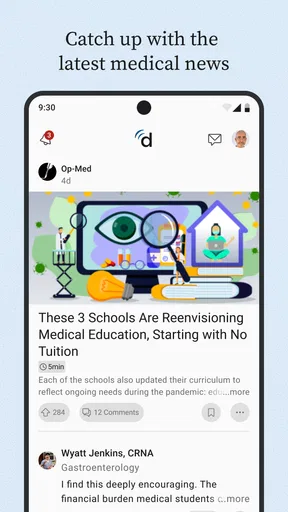
- Fast access to medical news
- research
- and specialty updates.
- Useful tools for checking drug information and clinical references.
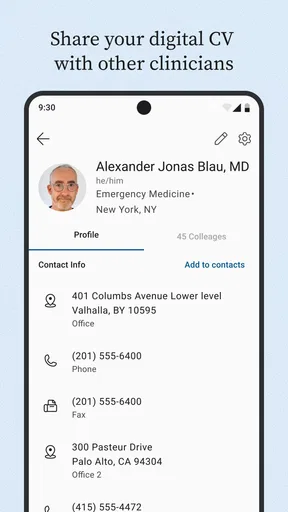
- Profile features can improve professional visibility and networking.
- HIPAA-compliant communication supports more secure care coordination.
Cons
- Most valuable features are limited to verified U.S. healthcare professionals.
- Some tools require an NPI or other credentials during registration.
- Notifications can become frequent when following many topics or contacts.
- The interface may feel crowded because it combines several professional tools.
- Not intended for general patients seeking direct medical advice or diagnosis.
FAQs for Doximity - Medical Network
What is Doximity – Medical Network used for?
Doximity is a professional networking and communication platform designed primarily for physicians, nurse practitioners, physician assistants, pharmacists, and other verified healthcare professionals in the United States. After creating a profile, users can connect with colleagues, follow medical news, search for jobs, exchange professional messages, and access tools such as secure calling and faxing, depending on their eligibility and location.
Who can create an account on Doximity?
Doximity is not intended for general social networking or casual public use. Registration is generally limited to verified medical professionals, medical students, residents, and certain other healthcare-related users. The app may request professional information, licensing details, institutional affiliation, or other verification data before granting full access. Patients usually cannot use Doximity as a replacement for a patient portal or regular doctor appointment service.
Does Doximity provide secure calling, messaging, and faxing?
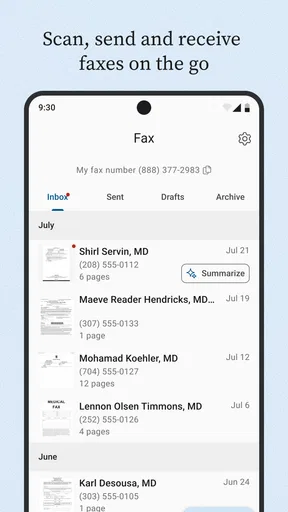
Doximity includes communication features intended for professional healthcare use, such as calling from a work-related number, sending messages, and using digital fax tools where available. These features can be helpful when protecting personal contact information or communicating with patients and colleagues. However, users should still follow their organization’s privacy policies, verify recipients carefully, and avoid assuming that every feature replaces approved clinical communication systems.
Can Doximity be used for telehealth appointments?
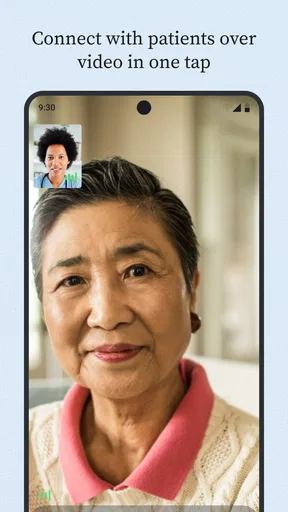
Doximity may support telehealth communication through features such as video calls or provider-to-patient contact, but availability can depend on the user’s professional status, account configuration, organization, and current app offering. It is best viewed as a communication tool rather than a complete electronic health record or hospital platform. Patients should follow the instructions provided by their healthcare professional for joining a virtual visit.
Is Doximity free to download and use?
Doximity is generally available as a free download for eligible healthcare professionals, and many of its core networking and communication features can be used without a traditional subscription. Nevertheless, certain services, organizational tools, or professional arrangements may have separate requirements or limitations. Before relying on the app for work, users should review the current terms, supported devices, verification rules, and any employer-specific policies.


